标签: Linux

  • 影響Linux系統效能的因素一般有哪些?

    @zhaoxiaoyong081 平安科技 資深工程師:

    Linux系統的效能受多個因素的影響。 以下是一些常見的影響Linux系統效能的因素:

    CPU負載:CPU的使用率和負載水準對系統效能有直接影響。 高CPU負載可能導致進程響應變慢、延遲增加和系統變得不穩定。

    記憶體使用:記憶體是系統運作的關鍵資源。 當系統記憶體不足時,可能會導致進程被終止、交換分區使用過多以及系統效能下降。

    磁碟I/O:磁碟I/O效能是影響系統回應時間和吞吐量的重要因素。 高磁碟I/O負載可能導致延遲增加、回應變慢和系統效能下降。

    網路負載:網路流量的增加和網路延遲會對系統效能產生影響。 高網路負載可能導致網路延遲增加、回應變慢和系統資源競爭。

    進程調度:Linux系統使用進程調度器來管理和分配CPU資源。 調度演算法的選擇和配置會影響進程的優先權和執行順序,進而影響系統的回應能力和負載平衡。

    檔案系統效能:檔案系統的選擇和配置對磁碟I/O效能有影響。 不同的檔案系統可能在效能方面有所差異,適當的檔案系統選項和調整可以改善系統效能。

    核心參數:Linux核心有許多可調整的參數,可以影響系統的效能和行為。 例如,TCP/IP參數、記憶體管理參數、檔案系統快取等。 適當的核心參數調整可以改善系統的效能和資源利用率。

    資源限制與配額:在多重使用者環境中,資源限制和配額的設定可以控制每個使用者或流程可使用的資源量。 適當的資源管理可以避免某些流程耗盡系統資源而導致效能問題。

    這些因素之間相互關聯,對系統性能產生綜合影響。 為了優化Linux系統效能,需要綜合考量並適當調整這些因素,以滿足特定的需求和使用。
    工作上有沒有快速排除故障的辦法?
    @zhaoxiaoyong081 平安科技 資深工程師:

    1.CPU 效能分析

    利用 top、vmstat、pidstat、strace 以及 perf 等幾個最常見的工具,取得 CPU 效能指標後,再結合進程與 CPU 的工作原理,就可以快速定位出 CPU 效能瓶頸的來源。

    比方說,當你收到系統的用戶CPU 使用率過高告警時,從監控系統中直接查詢到,導致CPU 使用率過高的進程;然後再登入到進程所在的Linux 伺服器中,分析該進程的 行為。 你可以使用 strace,查看進程的系統呼叫匯總;也可以使用 perf 等工具,找出進程的熱點函數;甚至還可以使用動態追蹤的方法,來觀察進程的當前執行過程,直到確定瓶頸的根源。

    2.記憶體效能分析

    可以透過 free 和 vmstat 輸出的效能指標,確認記憶體瓶頸;然後,再根據記憶體問題的類型,進一步分析記憶體的使用、分配、洩漏以及快取等,最後找出問題的來源。

    比如說,當你收到記憶體不足的告警時,首先可以從監控系統中。 找出佔用記憶體最多的幾個進程。 然後,再根據這些進程的記憶體佔用歷史,觀察是否有記憶體洩漏問題。 確定出最可疑的進程後,再登入進程所在的 Linux 伺服器中,分析該進程的記憶體空間或記憶體分配,最後弄清楚進程為何會佔用大量記憶體。

    3.磁碟與檔案系統 I/O 效能分析

    當你使用iostat ,發現磁碟I/O 存在效能瓶頸(例如I/O 使用率過高、回應時間過長或等待佇列長度突然增大等)後,可以再透過pidstat、 vmstat 等,確認I/O 的來源。 接著,再根據來源的不同,進一步分析檔案系統和磁碟的使用率、快取以及進程的 I/O 等,從而揪出 I/O 問題的真兇。

    比方說,當你發現某塊磁碟的 I/O 使用率為 100% 時,首先可以從監控系統中,找出 I/O 最多的進程。 然後,再登入到進程所在的 Linux 伺服器中,借助 strace、lsof、perf 等工具,分析該進程的 I/O 行為。 最後,再結合應用程式的原理,找出大量 I/O 的原因。

    4.網路效能分析

    而要分析網路的效能,要從這幾個協定層入手,透過使用率、飽和度以及錯誤數這幾類效能指標,觀察是否有效能問題。 比如 :

    在鏈路層,可以從網路介面的吞吐量、丟包、錯誤以及軟中斷和網路功能卸載等角度分析;

    在網路層,可以從路由、分片、疊加網路等角度進行分析;

    在傳輸層,可以從 TCP、UDP 的協定原理出發,從連線數、吞吐量、延遲、重傳等角度進行分析;

    例如,當你收到網路不通的告警時,就可以從監控系統中,找出各個協定層的丟包指標,確認丟包所在的協定層。 然後,從監控系統的數據中,確認網路頻寬、緩衝區、連接追蹤數等軟硬件,是否存在效能瓶頸。 最後,再登入發生問題的 Linux 伺服器中,借助 netstat、tcpdump、bcc 等工具,分析網路的收發數據,並且結合內核中的網路選項以及 TCP 等網路協定的原理,找出問題的來源。
    Linux環境下,怎麼排查os中系統負載過高的原因瓶頸?
    @zhaoxiaoyong081 平安科技 資深工程師:

    在Linux環境下檢查系統負載過高的原因和瓶頸,可以採取以下步驟:

    使用top或htop指令觀察系統整體負載狀況。 查看load average的值,分別表示系統在1分鐘、5分鐘和15分鐘內的平均負載。 如果負載值超過CPU核心數量的70-80%,表示系統負載過高。

    使用top或htop指令查看CPU佔用率。 觀察哪些進程佔用了大量的CPU資源。 如果有某個行程持續高CPU佔用,可能是造成負載過高的原因之一。

    使用free指令查看系統記憶體使用量。 觀察記憶體的使用量和剩餘量。 如果記憶體使用量接近或超過實體記憶體容量,可能導致系統開始使用交換空間(swap),進而影響系統效能。

    使用iotop指令查看磁碟I/O使用情況。 觀察磁碟讀寫速率和占用率。 如果磁碟I/O負載過高,可能導致系統回應變慢。

    使用netstat指令或類似工具查看網路連線情況。 觀察是否有大量的網路連線或網路流量。 如果網路連線過多或網路流量過大,可能影響系統的效能。

    檢查日誌檔。 查看系統日誌檔案(如/var/log/messages、/var/log/syslog)以及應用程式日誌,尋找任何異常或錯誤訊息,可能有助於確定導致負載過高的問題。

    使用perf或strace等工具進行進程層級的效能分析。 這些工具可以幫助你追蹤進程的系統呼叫、函數呼叫和效能瓶頸,進一步確定導致負載過高的具體原因。

    檢查系統的配置和參數設定。 審查相關的設定檔(如/etc/sysctl.conf、/etc/security/limits.conf)和參數設置,確保系統的設定與實際需求相匹配,並進行適當的調整。

    綜合上述步驟,可以幫助你定位系統負載過高的原因和瓶頸,並進一步採取相應的措施來優化系統效能。

  • CompTIA Linux+認證考試資訊

    Linux+證照是一項高風險的,廠商中立的認證,其目的是用來驗證初級Linux管理員的基本知識和技能要求。Linux+認證包含LX0-101、LX0-102兩科必要的考試科目。LX0-101含蓋了系統的體系結構;Linux安裝和包管理;GNU和UNIX命令;設備,Linux檔案系統以及檔案系統層次標準。LX0-102考試包括炮彈,腳本和資料管理,使用者介面和桌面,行政任務;重要的系統服務,網路基礎知識,安全。

    CompTIA Linux+考生們可以選擇在當地的VUE考場進行註冊並預約考試時間。可以將他們的考試記錄轉發到Linux專業研究所。通過Linux+ LX0-101,LX0-102考試,讓他們成LPIC-1考試。考取LX0- 101,LX0- 102考試時必須瞭解考試資訊,考生必須在90分鐘內完成60道考題,達到500分就可以獲取考試資格。考試語種為德語,葡萄牙語,簡體中文,取得證書後,考生必須有A+,Network+以及至少有一年的Linux管理經驗。

  • RedHat Unix 與 linux 系統管理技術手冊 (第4版)

    redhat.linux.jpg

    RedHat Unix 與 linux 系統管理技術手冊 (第4版),本書將為你提供有關Linux的廣闊知識,從Red Hat Linux的安裝到它的使用和定制。無論你的背景如何,本書都將為你提供工作中將會用到的知識。看完本書之後,你就能學會如何使用Linux,本書是一本極有價值的參考書.

    本書共分四大部分,全面講解了red hat linux .第一部分主要介紹red hat linux 系統(包括fedora core 和red hat enterprise linux)的安裝。第二部分詳細講述red hat linux 的登錄、gui 、實用工具、檔案系統和shell 等內容。第三部分深入詳細地討論red hat linux 系統的工作機制。第四部分討論系統管理。本書最後還有一個500 多條的術語表。此外,書中每章最後都附有練習題,可以説明讀者鞏固所學內容。

    本書內容全面,講解清晰透徹,適合各層次的讀者閱讀,也可作為高等院校電腦專業的教材使用。

    RedHat Unix 與 linux 系統管理技術手冊 (第4版) 載點: http://www.itcert.org/thread-4809-1-1.html

  • SELinux by Example: Using Security Enhanced Linux

    SELinux by Example: Using Security Enhanced Linux
    SELinux.jpg

    SELinux offers Linux/UNIX integrators, administrators, and developers a state-of-the-art platform for building and maintaining highly secure solutions. Now that SELinux is included in the Linux 2.6 kerneland delivered by default in Fedora Core, Red Hat Enterprise Linux, and other major distributionsit’s easier than ever to take advantage of its benefits.

    SELinux by Example is the first complete, hands-on guide to using SELinux in production environments. Authored by three leading SELinux researchers and developers, it illuminates every facet of working with SELinux, from its architecture and security object model to its policy language. The book thoroughly explains SELinux sample policies including the powerful new Reference Policyshowing how to quickly adapt them to your unique environment. It also contains a comprehensive SELinux policy language reference and covers exciting new features in Fedora Core 5 and the upcoming Red Hat Enterprise Linux version 5.

    • Thoroughly understand SELinux’s access control and security mechanisms

    • Use SELinux to construct secure systems from the ground up

    • Gain fine-grained control over kernel resources

    • Write policy statements for type enforcement, roles, users, and constraints

    • Use optional multilevel security to enforce information classification and manage users with diverse clearances

    • Create conditional policies that can be changed on-the-fly

    • Define, manage, and maintain SELinux security policies

    • Develop and write new SELinux security policy modules

    • Leverage emerging SELinux technologies to gain even greater flexibility

    • Effectively administer any SELinux system

    Download:  SELinux by Example: Using Security Enhanced Linux

  • IBM Linux 教程(原版教材)

    近年來,Linux正愈來愈成為IT界的一個亮點。在2001年1月30日至2月1日的紐約Linuxworld 大會上,IBM推出了一系列可行的策略以支持Linux, 並且向世人展示了其包括e-Server伺服器、中介軟體和Linux服務計畫在內的Linux新產品,這些產品還為IBM奪得了軟體和硬體的兩項大獎。此外,IBM還宣佈以10億美元的重金投入到Linux的研發和服務上,這使得Linux的亮點越來越聚焦到IBM這個藍色巨人身上。

    IBM Linux 教程(原版教材) 全文十二章,是IBM公司內部人員學習指南。IBM出品,必屬精品~

    點擊下載: IBM Linux 教程(原版教材)

  • Linux內核修煉之道

    Linux內核修煉之道


    本書重點介紹Linux內核工作原理以及學習方法。將Linux內核的修煉之道總結為四個層次:第一層次目的是對Linux以及內核有個全面的認識和瞭解,掌握Linux內核原始程式碼的分析方法。第二個層次討論了內核中系統初始化、系統調用、中斷處理、進程管理及調度、記憶體管理、檔案系統以及設備驅動等主要部分,目的是希望讀者以興趣為導向,尋找一個子系統或模組,對其代碼深入鑽研和分析。第三個層次介紹了內核開發與調試的一些基本資訊,目的是希望讀者能夠融入到內核的開發社區,做出自己的貢獻。第四個層次濃縮為兩個字——堅持。

    本書目錄

    •  第1章 初識Linux 
    • 第2章 配置與編譯內核
    • 第3章 流覽內核原始程式碼 
    • 第4章 系統初始化 
    • 第5章 系統調用 
    • 第6章 中斷與中斷處理 
    • 第7章 進程管理 
    • 第8章 調度 
    • 第9章 記憶體管理 
    • 第10章 檔案系統 
    • 第11章 設備驅動 
    • 第12章 內核開發基礎 
    • 第13章 調試

    點擊下載: Linux內核修煉之道

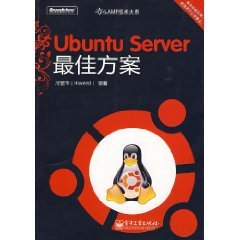
  • Ubuntu 伺服器最佳方案

    Ubuntu 伺服器最佳方案

    難得的一本Ubuntu方面原創的書。本書涵蓋了LAMP的各個方面,看得出是作者多年工作經驗的總結,讀後頗感收穫。——Freeflying(Ubuntu Developer)
    這本書不僅是linux系統管理員的寶典,更能讓IT決策者如虎添翼!——Oneleaf(UbuntuChina Webmaster)…

    本書介紹

    本書是第一本全面介紹ubuntu linux server的中文書籍,是作者10多年實戰經驗的結晶;從構思到出版,花費作者近3年時間。無論您是初學者還是linux高手,都能從中獲益。

    在內容上,本書基本上涉獵到了linux伺服器的各方面常見應用。“最佳方案”是本書的特色。對於每一種應用,作者都不是泛泛而談,而是推薦一個“最佳方案”——從硬體伺服器的選型到linux入門,從lamp到tomcat,從代理伺服器到郵件伺服器,從dhcp到dns,從samba到虛擬化,從負載均衡到遠端控制,從raid到lvm再到系統安全——不管您是在校學生還是在職linux管理員,不管您是小公司還是大企業,都可以直接複製本書內容,在最短的時間內您就可以架設起自己的最佳linux伺服器。

    擁有本書,您就擁有了一位具有10年經驗的資深linux管理員和開發者的最佳實戰方案,有如專家親臨現場、全程陪護,讓您在工作中胸有成竹,勝券在握。

     本書目錄:

    第1篇 擁抱ubuntuserver .
    第1章 敲開linux server的大門 2
    1.1 linux到底是什麼 2
    1.2 為何選linux,不選
    1.2 windows 3
    1.2.1 linux可以定制 4
    1.2.2 linux比windows穩定 4
    1.2.3 linux比windows回應快 4
    1.2.4 linux比windows安全 5
    1.2.5 linux不用花錢買 6
    1.2.6 linux更適合遠端系統管理 6
    1.3 學習linux的終南捷徑 6
    1.3.1 興趣、試驗 6
    1.3.2 真正的捷徑——lfs 7
    1.4 選擇哪個linux發行版本呢 7
    1.4.1 先排除gentoo 8
    1.4.2 再排除red hat、centos和suse 8
    1.4.3 debian不錯 8
    1.4.4 推薦使用ubuntu 8
    1.5 應該買什麼樣的伺服器呢 10
    .1.5.1 架構設計 10
    1.5.2 伺服器的選型 10
    1.5.3 機房的選擇 11
    第2章 擁抱ubuntu server 12
    2.1 ubuntu的前世今生 12
    2.2 安裝ubuntu server 13
    2.2.1 安裝前的準備 13
    2.2.2 安裝ubuntu server 13
    2.2.3 把語言環境變數改為英文 29
    2.2.4 安全補丁、版本升級 30
    2.3 ubuntu快速入門指南 31
    2.3.1 nano編輯器 31
    2.3.2 強大的“資源管理器”:mc 32
    2.3.3 快速查找檔 32
    2.3.4 套裝軟體管理 33
    2.3.5 使用apt工具 35
    2.3.6 給red hat用戶 42
    2.3.7 ubuntu網路配置 45
    2.3.8 遠端系統管理ubuntu server 48
    2.3.9 系統更新:apt-get update && apt-get upgrade 49
    第2篇 lamp伺服器
    第3章 用apache做web伺服器 51
    3.1 apache簡介 51
    3.2 apache的安裝、配置 52
    3.2.1 apache的安裝 52
    3.2.2 apache的配置 52
    3.2.3 apache虛擬主機 54
    3.3 apache性能優化 62
    3.3.1 正確選擇mpm 63
    3.3.2 優化apache配置 63
    3.3.3 使用反向代理 68
    3.4 apache壓力測試(ab) 68
    3.5 apache安全 70
    3.5.1 安全更新 70
    3.5.2 隱藏敏感資訊 70
    3.5.3 不要以root身份運行apache 72
    3.5.4 密碼認證 73
    3.5.5 檢查檔許可權 75
    3.5.6 關閉不用的模組 75
    3.5.7 ddos 攻擊防範 76
    3.6 apache日誌分析 78
    3.6.1 用webalizer分析apache日誌 78
    3.6.2 用awstats分析apache日誌 80
    3.6.3 apache日誌合併 82
    第4章 lamp伺服器之php篇 84
    4.1 mysql簡介 84
    4.2 php簡介 85
    4.3 安裝lamp相關套裝軟體 85
    4.3.1 lamp套裝軟體安裝 85
    4.3.2 lamp套裝軟體刪除 86
    4.4 配置apache、mysql、php 86
    4.4.1 mysql配置 86
    4.4.2 php配置 88
    4.5 apache、mysql、php之間的關聯 89
    4.6 用phpmyadmin管理mysql資料庫 90
    4.6.1 phpmyadmin的安裝 90
    4.6.2 phpmyadmin排錯 90
    4.7 實例:用drupal快速架設blog網站 90
    4.7.1 drupal是什麼 90
    4.7.2 獲取drupal 91
    4.7.3 為drupal創建mysql資料庫和使用者 91
    4.7.4 為drupal配置php 92
    4.7.5 為drupal配置apache 92
    4.7.6 安裝drupal 92
    4.7.7 為drupal安裝blog模組 93
    4.7.8 drupal的中文介面 94
    第5章 lamp伺服器之perl篇 95
    5.1 安裝perl模組 95
    5.2 配置cgi-bin目錄 95
    5.3 perl程式測試 96
    5.4 用perl訪問mysql資料庫 96
    5.5 cgi排錯 98
    5.6 實例:用twiki假設wiki 99
    5.6.1 安裝twiki 99
    5.6.2 配置twiki 99
    第6章 lamp伺服器之python篇 101
    6.1 安裝mod_python 101
    6.2 配置apache 101
    6.2.1 publisher handler 101
    6.2.2 psp handler 102
    6.3 讓python支持mysql 103
    6.3.1 python連接mysql資料庫測試 103
    6.3.2 python的cgi程式 104
    6.3.3 cgi排錯 105
    6.4 實例:用django開發web應用程式 105
    6.4.1 安裝django 105
    6.4.2 創建自己的django項目 105
    6.4.3 運行django開發伺服器 105
    6.4.4 連接mysql資料庫 106
    6.4.5 後續開發步驟 107
    6.5 實例:用moinmoin實現wiki 107
    6.5.1 安裝moinmoin 108
    6.5.2 創建moinmoin實例 108
    6.5.3 moinmoin許可權控制 110
    6.6 python web應用的性能優化 111
    6.6.1 mod-wsgi介紹 111
    6.6.2 mod-wsgi支援的程式 112
    6.6.3 mod-wsgi的安裝 112
    6.6.4 測試 113
    第7章 apache tomcat架設 114
    7.1 安裝tomcat 114
    7.2 配置tomcat 115
    7.3 tomcat和apache的整合:mod_jk 115
    7.3.1 mod_jk的安裝 116
    7.3.2 mod_jk的配置 116
    7.4 tomcat安全 117
    7.4.1 保護shutdown埠 117
    7.4.2 修改預設錯誤頁面 118
    7.4.3 刪除樣例檔 118
    7.4.4 manager webapp安全 118
    第8章 最佳代理、反向代理伺服器:squid 119
    8.1 squid安裝 119
    8.2 為squid配置主機名稱 119
    8.3 存取控制清單 120
    8.4 正向代理 121
    8.4.1 設置埠號 121
    8.4.2 禁止某些ip地址上網 121
    8.4.3 禁止在某時間段上網 122
    8.4.4 個別網站的控制 122
    8.4.5 用ncsa做密碼認證 123
    8.4.6 透明代理的設置 123
    8.5 反向代理 126
    8.5.1 squid反向代理單個後臺web伺服器 127
    8.5.2 squid反向代理多個後臺web伺服器 127
    8.6 squid排錯 128
    8.6.1 squid運行狀態檢查 128
    8.6.2 squid日誌檔 128
    8.7 使用squidguard 128
    8.7.1 squidguard能做什麼 129
    8.7.2 安裝squidguard 131
    8.7.3 squidguard基本配置 131
    8.7.4 squidguard高級配置 135
    第3篇 mail伺服器
    第9章 最佳郵件伺服器方案 141
    9.1 安裝所有相關軟體 142
    9.1.1 安裝伺服器軟體 142
    9.1.2 安裝內容過濾軟體 143
    9.1.3 安裝其他軟體 143
    9.2 為postfix準備資料庫 144
    9.2.1 創建資料庫maildb 144
    9.2.2 為資料庫maildb創建資料表 144
    9.2.3 為資料庫maildb創建視圖 147
    9.3 配置postfix 149
    9.3.1 postfix與mysql的
    關聯配置 149
    9.3.2 讓postfix使用dovecot分發郵件 155
    9.4 配置dovecot 156
    9.4.1 配置dovecot.conf 156
    9.4.2 配置dovecot-sql.conf 158
    9.4.3 修改設定檔許可權 158
    9.4.4 重新啟動dovecot 158
    9.5 用telnet進行smtp/pop3/imap測試 158
    9.5.1 smtp測試 159
    9.5.2 測試pop3 161
    9.5.3 測試imap 162
    9.6 用thunderbird進行
    smtp/pop3/imap測試 164
    9.6.1 在thunderbird中創建帳號 164
    9.6.2 修改hosts檔 165
    9.6.3 在thunderbird中用pop收取郵件 166
    9.6.4 在thunderbird中用smtp發送郵件 167
    9.6.5 在thunderbird中用imap收取郵件 167
    9.7 實現smtp認證 168
    9.7.1 配置postfix 169
    9.7.2 用telnet測試smtp認證 169
    9.7.3 用thunderbird測試smtp認證 170
    9.8 強迫用戶使用tls加密連接smtp 171
    9.9 使用自己創建的安全證書 172
    9.10 利用dovecot實現quota(磁片限額) 173
    9.10.1 啟用quota外掛程式 173
    9.10.2 配置quota 174
    9.11 垃圾郵件、病毒過濾 176
    9.11.1 配置spamassassin 176
    9.11.2 配置amavisd 176
    9.11.3 配置postfix,將郵件交給amavisd過濾 180
    9.11.4 垃圾郵件測試 182
    9.11.5 非法附件測試 183
    9.11.6 將spam自動轉存到“垃圾”資料夾 183
    9.12 webmail的實現 186
    9.12.1 配置squirrelmail 186
    9.12.2 訪問webmail 187
    9.13 修改系統別名/etc/aliases 188
    9.14 web管理工具 189
    9.14.1 安裝virtual mail manager 189
    9.14.2 使用virtual mail manager 190
    第10章 最佳郵寄清單:mailman 191
    10.1 安裝mailman 191
    10.2 配置mailman 192
    10.2.1 修改主機名稱 192
    10.2.2 配置apache 192
    10.2.3 配置postfix 193
    10.2.4 創建默認郵寄清單 194
    10.3 管理mailman 195
    10.3.1 通過web管理mailman 196
    10.3.2 通過命令列管理mailman 197
    10.4 普通使用者的web介面 199
    第4篇 檔案伺服器
    第11章 最佳ftp伺服器方案 201
    11.1 要實現的功能 201
    11.2 ftp伺服器的選擇 202
    11.2.1 淘汰標準一:安全 202
    11.2.2 淘汰標準二:易用性 203
    11.3 pure-ftpd的安裝、配置 203
    11.3.1 安裝pure-ftpd 203
    11.3.2 配置pure-ftpd 203
    11.4 實現ftp用戶的web管理 206
    11.4.1 安裝user manager for
    pureftpd 207
    11.4.2 配置user manager for pureftpd 207
    11.4.3 設置user manager for pureftpd管理員 207
    11.4.4 web管理介面 208
    11.5 pure-ftpd配置選項介紹 209
    11.5.1 邏輯型配置選項 209
    11.5.2 數值型配置選項 210
    11.5.3 字串型配置選項 211
    11.5.4 ip位址型配置選項 212
    11.5.5 檔型配置選項 212
    11.6 實現tls認證 212
    11.6.1 證書設置 212
    11.6.2 伺服器的tls設置 213
    11.6.3 ftp用戶端的tls設置 213
    11.7 fxp協定支援 214
    11.8 允許匿名訪問 214
    11.8.1 pure-ftpd設置 214
    11.8.2 添加系統使用者 215
    第12章 最佳nfs伺服器方案 216
    12.1 安裝前須知 217
    12.1.1 用戶許可權 217
    12.1.2 組許可權 217
    12.2 nfs伺服器的安裝及配置.. 217
    12.2.1 /etc/hosts配置 218
    12.2.2 安裝nfs伺服器軟體 218
    12.2.3 portmap安全 218
    12.2.4 nis伺服器配置 218
    12.2.5 用/etc/exports配置共用目錄 220
    12.3 nfs用戶端的安裝及配置 220
    12.3.1 /etc/hosts配置 220
    12.3.2 安裝nfs用戶端 221
    12.3.3 配置nfs用戶端 221
    第13章 與windows共舞:samba 223
    13.1 samba的好處 223
    13.1.1 高性能 223
    13.1.2 省錢 224
    13.2 安裝samba並測試 224
    13.2.1 安裝samba 224
    13.2.2 在windows用戶端上測試 224
    13.3 samba配置 225
    13.3.1 最簡單的samba配置 225
    13.3.2 samba的安全認證 227
    13.3.3 共用許可權控制 229
    13.3.4 檔寫入實驗 229
    13.4 基本的家目錄共用方案 231
    13.4.1 創建私人目錄 232
    13.4.2 創建新用戶 232
    13.4.3 配置samba 233
    13.5 其他共用方案 236
    13.5.1 共用光碟機 236
    13.5.2 小組共用 237
    第5篇 虛擬化
    第14章 最佳虛擬化方案: openvz 240
    14.1 openvz簡介 240
    14.1.1 可擴展性 240
    14.1.2 密度 240
    14.1.3 管理方便 241
    14.2 安裝openvz 241
    14.2.1 安裝前的準備 241
    14.2.2 安裝openvz 242
    14.2.3 配置openvz 242
    14.3 虛擬機器的基本操作 244
    14.3.1 虛擬機器的創建 244
    14.3.2 虛擬機器的啟停 245
    14.4 vzctl用法詳解 246
    14.4.1 vzctl基本用法 246
    14.4.2 創建虛擬機器 246
    14.4.3 虛擬機器的啟停等操作 247
    14.4.4 設置虛擬機器參數 247
    14.4.5 其他命令和參數 253
    14.5 /etc/vz/vz.conf詳解 253
    14.5.1 全域參數 253
    14.5.2 磁片限額參數 253
    14.5.3 網卡參數 254
    14.5.4 虛擬機器預設值 254
    14.6 ve的備份與恢復 254
    14.6.1 安裝vzdump 255
    14.6.2 vzdump的用法 255
    14.6.3 備份ve 256
    14.6.4 恢復ve 256
    14.7 openvz排錯 256
    第6篇 dns和dhcp伺服器
    第15章 最佳dns伺服器:bind9 259
    15.1 安裝bind9 259
    15.2 bind9的幾種角色 260
    15.3 配置bind9 260
    15.3.1 bind9設定檔介紹 260
    15.3.2 dns記錄類型 260
    15.3.3 dns緩存伺服器的配置 261
    15.3.4 主dns伺服器的配置 262
    15.3.5 從dns伺服器的配置 266
    15.4 讓bind9運行在chroot環境 268
    15.4.1 創建chroot環境 268
    15.4.2 bind9配置 269
    15.4.3 日誌路徑設置 269
    15.4.4 測試 269
    15.5 bind9排錯 269
    15.5.1 dns測試 269
    15.5.2 日誌檔 271
    第16章 dns輪詢 273
    16.1 為什麼要用dns輪詢 273
    16.2 dns輪詢是怎麼工作的 273
    16.3 dns輪詢的實現方法 273
    16.3.1 多個cnames的方法(bind4、bind8) 273
    16.3.2 多個 a 記錄的方法(bind9) 274
    16.4 dns輪詢的測試 274
    16.5 dns輪詢的缺陷 275
    第17章 最佳dhcp伺服器方案 276
    17.1 dhcp的好處 276
    17.2 dhcp提供資訊的方法 277
    17.3 安裝dhcp伺服器軟體 277
    17.4 配置dhcp伺服器 278
    17.4.1 網路環境介紹 278
    17.4.2 dhcp配置 278
    17.4.3 測試 279
    17.5 dhcp排錯 280
    第7篇 負載均衡和集群
    第18章 負載均衡、高可用的web集群 282
    18.1 介紹 282
    18.1.1 haproxy介紹 282
    18.1.2 keepalived介紹 282
    18.1.3 haproxy+keepalived的好處 283
    18.2 架構 283
    18.2.1 架構詳情 283
    18.2.2 架構圖 284
    18.3 架構的實現 284
    18.3.1 web伺服器的安裝及配置 284
    18.3.2 haproxy的安裝及配置 285
    18.3.3 keepalived的安裝及配置 287
    18.4 測試 289
    18.4.1 web節點故障類比 289
    18.4.2 負載均衡節點故障類比 289
    18.5 haproxy的web統計頁面 290
    第19章 負載均衡、高可用的mysql集群 291
    19.1 mysql集群架構介紹 291
    19.1.1 架構圖 291
    19.1.2 本例中的伺服器 292
    19.2 管理節點(mgm)的安裝及配置 292
    19.2.1 安裝mysql 293
    19.2.2 配置ndb_mgmd.cnf 293
    19.3 存儲節點(ndb)的安裝及配置 294
    19.3.1 安裝mysql 294
    19.3.2 配置my.cnf 294
    19.4 階段測試 295
    19.4.1 集群連接狀態測試 295
    19.4.2 測試 296
    19.5 實現負載均衡 300
    19.5.1 ldirectord+heartbeat介紹 300
    19.5.2 讓內核支持ipvs 301
    19.5.3 安裝heartbeat、ldirectord等軟體 302
    19.5.4 配置heartbeat 302
    19.5.5 配置ldirectord 303
    19.5.6 ndb節點配置 304
    19.5.7 測試 305
    19.6 注意事項 307
    19.6.1 資料庫引擎問題 307
    19.6.2 記憶體問題 308
    19.6.3 安全問題 308
    第8篇 遠程控制與監控
    第20章 最佳遠端控制方案:ssh 310
    20.1 關於公開金鑰認證 310
    20.1.1 為什麼要用公開金鑰認證 310
    20.1.2 公開金鑰認證是怎麼工作的 311
    20.2 ssh的安裝 311
    20.2.1 安裝ssh伺服器和用戶端 311
    20.2.2 測試 311
    20.3 ssh配置 312
    20.3.1 生成金鑰對 312
    20.3.2 將公開金鑰複製到伺服器 312
    20.3.3 ssh登錄測試 312
    20.3.4 ssh伺服器配置 314
    20.4 ssh小技巧 315
    20.4.1 用scp遠程複製檔 315
    20.4.2 在用戶端上指定命令 316
    20.4.3 在伺服器上限制所執行的命令 316
    20.4.4 修改金鑰口令 317
    20.4.5 將金鑰放入記憶體 317
    第21章 最佳伺服器監控方案:
    第21章 nagios 318
    21.1 nagios介紹 318
    21.2 安裝nagios 319
    21.3 配置nagios 319
    21.3.1 nagios初始化設置 319
    21.3.2 nagios監控設置 320
    21.4 手機短信提醒 327
    21.5 nagios排錯 328
    第9篇 資料備份與系統安全
    第22章 最佳raid方案:raid10 330
    22.1 raid方案的選擇 330
    22.2 raid10的實現 332
    22.2.1 手動分區 333
    22.2.2 第一塊硬碟分區 334
    22.2.3 分區複製 338
    22.2.4 創建raid陣列 339
    22.2.5 在raid上創建分區 340
    22.2.6 保存分區 342
    22.3 raid10的日常維護 343
    22.3.1 mdadm的主要工作模式 343
    22.3.2 mdadm的選項 343
    22.3.3 創建raid陣列 345
    22.3.4 查詢raid陣列 345
    22.3.5 raid的監控 346
    22.3.6 raid的啟動/停止 346
    22.4 故障處理 347
    22.4.1 從raid中移除設備 347
    22.4.2 添加已有raid物理卷 348
    22.4.3 更換全新硬碟 348
    22.5 添加備用硬碟 350
    22.5.1 插入新硬碟 351
    22.5.2 新硬碟分區 351
    22.5.3 將新分區加入raid 351
    22.5.4 設置grub 352
    22.5.5 故障類比 352
    22.6 raid10的空間擴展 352
    第23章 最佳資料安全方案:
    第23章 raid10+lvm 354
    23.1 創建raid物理卷 354
    23.1.1 將第一塊硬碟分區 354
    23.1.2 剩餘硬碟的分區處理 355
    23.2 創建raid陣列 355
    23.2.1 創建raid1陣列 355
    23.2.2 創建raid10陣列 356
    23.3 lvm的創建和配置 356
    23.3.1 創建lvm物理卷 356
    23.3.2 lvm配置 356
    23.4 創建/boot分區 358
    23.5 lvm的相關命令 359
    23.5.1 lvm物理卷相關命令 359
    23.5.2 lvm卷組相關命令 360
    23.5.3 lvm邏輯卷相關命令 363
    23.6 添加新硬碟 365
    23.6.1 插入新硬碟 365
    23.6.2 配置raid 365
    23.6.3 在raid上配置lvm 367
    23.6.4 擴容檔案系統 368
    23.7 更換硬碟 368
    23.8 lvm分區備份 368
    23.8.1 創建快照 369
    23.8.2 備份快照內容 369
    23.8.3 刪除快照 370
    第24章 ubuntu server系統安全 371
    24.1 系統安全更新 371
    24.1.1 訂閱安全列表 371
    24.1.2 自動更新 371
    24.2 控制台安全 372
    24.3 使用者、密碼管理 372
    24.3.1 關於root用戶 372
    24.3.2 關於sudo 373
    24.3.3 關於/etc/sudoers 373
    24.3.4 密碼策略 375
    24.4 ufw防火牆 376
    24.4.1 啟用、禁用ufw 376
    24.4.2 基本規則設置 377
    24.4.3 常用規則設置 378
    24.4.4 高級規則設置 380
    24.4.5 ip偽裝 382
    24.5 入侵偵測 384
    24.5.1 安裝lamp 384
    24.5.2 安裝、配置snort 384
    24.5.3 安裝、配置base 387
    24.6 肉雞檢測 392
    24.6.1 chkrootkit的使用 393
    24.6.2 rkhunter的使用 394
    24.6.3 unhide的使用 396
    24.7 資料完整性檢測 397
    24.7.1 安裝tripwire 398
    24.7.2 配置tripwire 400
    24.7.3 初始化tripwire資料庫 403
    24.7.4 執行完整性檢測 403
    24.7.5 檢測報告分析 403
    24.7.6 查看tripwire資料庫內容 405
    24.7.7 使用tripwire的注意事項 406
    24.8 被入侵後的系統恢復 406
    24.8.1 保持冷靜 407
    24.8.2 斷開網路 407
    24.8.3 找到駭客入侵的方法 407
    24.8.4 駭客檔清理 412
    24.8.5 恢復未受影響的服務 412
    24.8.6 修復問題 412
    24.8.7 恢復受影響的服務 412
    24.8.8 監控系統… 412

    點擊下載: Ubuntu 伺服器最佳方案

  • The Linux Networking Architecture

    The Linux Networking Architecture

    This unique Linux networking tutorial/reference by experts provides readers with a practical overview and understanding of the implementation of networking protocols in the Linux kernel. The book shows how networking behavior and protocols can be implemented within the Linux operating system. Introduction to the Linux kernel, mainly focusing on the upcoming kernel version 2.4 but also valid for version 2.2 kernels. The organization of the book follows the TCP/IP layering model, beginning with the kernel’s network device drivers, continuing with link-layer protocols such as PPP, and finally giving a description of all core protocols of the TCP/IP protocol family. Additional supplementary protocols such as RSVP, IP Security, and Mobile IP are also covered. For anyone interested in Linux or networking, including network programmers and administrators.

    Copyright ii
         Preface xiii
            Organization of this Book xiv
            Additional Sources of Information xv
            Conventions Used in this Book xvi
            Acknowledgments xvii
         Part I:  The Linux Kernel 1
            Chapter 1.  Motivation 3
            Section 1.1.  The Linux Operating System 4
            Section 1.2.  What is Linux? 5
            Section 1.3.  Reasons for Using Linux 6
            Chapter 2.  The Kernel Structure 9
            Section 2.1.  Monolithic Architectures and Microkernels 11
            Section 2.2.  Activities in the Linux Kernel 12
            Section 2.3.  Locking—Atomic Operations 17
            Section 2.4.  Kernel Modules 23
            Section 2.5.  Device Drivers 29
            Section 2.6.  Memory Management in the Kernel 31
            Section 2.7.  Timing in the Linux Kernel 35
            Section 2.8.  The Proc File System 40
            Section 2.9.  Versioning 43
         Part II:  Architecture of Network Implementation 45
            Chapter 3.  The Architecture of Communication Systems 47
            Section 3.1.  Layer-Based Communication Models 47
            Section 3.2.  Services and Protocols 52
            Chapter 4.  Managing Network Packets in the Kernel 55
            Section 4.1.  Socket Buffers 55
            Section 4.2.  Socket-Buffer Queues 66
            Chapter 5.  Network Devices 71
            Section 5.1.  The net_device Interface 73
            Section 5.2.  Managing Network Devices 82
            Section 5.3.  Network Drivers 92
         Part III:  Layer I + II—Medium Access and Logical Link Layer 115
            Chapter 6.  Introduction to the Data-Link Layer 117
            Section 6.1.  Structure of the Data-Link Layer 117
            Section 6.2.  Processes on the Data-Link Layer 119
            Section 6.3.  Managing Layer-3 Protocols 127
            Chapter 7.  The Serial-Line Internet Protocol (SLIP) 132
            Section 7.1.  Introduction 132
            Section 7.2.  Slip Implementation in the Linux Kernel 134
            Chapter 8.  The Point-to-Point Protocol (PPP) 145
            Section 8.1.  Introduction 145
            Section 8.2.  PPP Configuration in Linux 148
            Section 8.3.  PPP Implementation in the Linux Kernel 150
            Section 8.4.  Implementing the PPP Daemon 158
            Chapter 9.  PPP over Ethernet 161
            Section 9.1.  Introduction 161
            Section 9.2.  PPPOE Specification in RFC 2516 161
            Section 9.3.  Implementation in the User Space 163
            Section 9.4.  Implementation in the Linux Kernel 164
            Chapter 10.  Asynchronous Transfer Mode—ATM 168
            Section 10.1.  Introduction 168
            Section 10.2.  Implementing ATM in Linux 169
            Section 10.3.  Configuration 177
            Chapter 11.  Bluetooth in Linux 179
            Section 11.1.  Host Controller Interface (HCI) 181
            Section 11.2.  L2CAP 185
            Section 11.3.  Other Protocols 188
            Chapter 12.  Transparent Bridges 189
            Section 12.1.  Introduction 189
            Section 12.2.  Basics 190
            Section 12.3.  Configuring a Bridge in Linux 199
            Section 12.4.  Implementation 202
         Part IV:  Network Layer 221
            Chapter 13.  The TCP/IP Protocols 223
            Section 13.1.  The Internet Protocol Suite 224
            Chapter 14.  The Internet Protocol V4 227
            Section 14.1.  Properties of the Internet Protocol 228
            Section 14.2.  Implementing the Internet Protocol 233
            Section 14.3.  IP Options 250
            Section 14.4.  Internet Control Message Protocol (ICMP) 262
            Chapter 15.  Address Resolution Protocol (ARP) 273
            Section 15.1.  Using the Address Resolution Protocol 274
            Section 15.2.  The ARP Command 276
            Section 15.3.  Implementing the ARP Instance in the Linux Kernel 277
            Chapter 16.  IP Routing 293
            Section 16.1.  Introduction 293
            Section 16.2.  Configuration 301
            Section 16.3.  Implementation 309
            Chapter 17.  IP Multicast for Group Communication 330
            Section 17.1.  Group Communication 331
            Section 17.2.  IP Multicast 333
            Section 17.3.  Internet Group Management Protocol (IGMP) 339
            Section 17.4.  Multicast Data Path in the Linux Kernel 345
            Section 17.5.  Multicasting in Today’s Internet 355
            Section 17.6.  Multicast Transport Protocols 364
            Chapter 18.  Using Traffic Control to Support Quality of Service (QoS) 366
            Section 18.1.  Introduction 366
            Section 18.2.  Basic Structure of Traffic Control in Linux 367
            Section 18.3.  Traffic Control in the Outgoing Direction 367
            Section 18.4.  Kernel Structures and Interfaces 369
            Section 18.5.  Ingress Policing 378
            Section 18.6.  Implementing a Queuing Discipline 378
            Section 18.7.  Configuration 381
            Chapter 19.  Packet Filters and Firewalls 383
            Section 19.1.  Introduction 383
            Section 19.2.  The Ipchains Architecture of Linux 2.2 386
            Section 19.3.  The Netfilter Architecture of Linux 2.4 391
            Chapter 20.  Connection Tracking 399
            Section 20.1.  Introduction 399
            Section 20.2.  Implementation 400
            Chapter 21.  Network Address Translation (NAT) 410
            Section 21.1.  Introduction 410
            Section 21.2.  Configuring NAT in Linux 414
            Section 21.3.  Implementing the NAT Module 416
            Section 21.4.  Interfaces to Extend the NAT Module 422
            Chapter 22.  Extending the Linux Network Architecture Functionality—KIDS 426
            Section 22.1.  Managing Dynamically Extendable Functionalities 426
            Section 22.2.  Structure of the KIDS Construction System 428
            Section 22.3.  Using the KIDS Example to Extend the Linux Network Architecture 431
            Chapter 23.  IPv6—Internet Protocol Version 6 443
            Section 23.1.  Introduction 443
            Section 23.2.  IPv6 Features 443
            Section 23.3.  IPv6 Implementation 450
         Part V:  Layer IV—Transport Layer 455
            Chapter 24.  Transmission Control Protocol (TCP) 457
            Section 24.1.  Overview 457
            Section 24.2.  Implementing The TCP Protocol Instance 460
            Section 24.3.  Connection Management 476
            Section 24.4.  Protocol Mechanisms For Data Exchange 486
            Section 24.5.  Timer Management In TCP 508
            Chapter 25.  User Datagram Protocol (UDP) 513
            Section 25.1.  Introduction 513
            Section 25.2.  Data Structures 514
            Section 25.3.  Sending and Receiving UDP Datagrams 519
            Chapter 26.  The Concept of Sockets 522
            Section 26.1.  Introduction 522
            Section 26.2.  BSD Sockets 522
            Section 26.3.  Protocol-Specific Sockets 526
         Part VI:  Layer V—Application Layer 533
            Chapter 27.  Network Programming With Sockets 535
            Section 27.1.  Introduction 535
            Section 27.2.  Functions of the Socket API 538
            Section 27.3.  Examples 548
         Part VII:  Appendices 549
            Appendix A.  The LXR Source-Code Browser 551
            Section A.1.  Functionality 551
            Section A.2.  Installation 555
            Appendix B.  Debugging in the Linux Kernel 557
            Section B.1.  Log Outputs From the Linux Kernel 557
            Section B.2.  Creating Strings in the Kernel 561
            Section B.3.  Information in the /proc Directory 564
            Section B.4.  Using a Debugger with the Linux Kernel 569
            Appendix C.  Tools and Commands for Network Operation 572
            Section C.1.  Using ifconfig to Manage Network Devices 572
            Section C.2.  Using ping to Test the Reachability 575
            Section C.3.  Using netstat to View the Network State 576
            Section C.4.  Using route for Routing Information 578
            Section C.5.  Using tcpdump for Network Analysis 579
            Section C.6.  USING traceroute TO TRACE PACKETS 582
            Section C.7.  Other Tools 584
            Appendix D.  Example for a Kernel Module 588
            Appendix E.  Example for a Network-Layer Protocol 591
            Appendix F.  Example for a Transport Protocol 593
            Appendix G.  Example for Communication over Sockets 595
            Section G.1.  SERVER 595
            Section G.2.  CLIENT 598
            Bibliography  
         Index 

    Download: The Linux Networking Architecture